How to Repurpose One Content Idea Into a Full Week of Posts

Content creators rarely run out of knowledge.
They run out of time.
One useful idea may require hours of research, writing, filming, editing, designing, captioning, publishing, and replying to comments. Then, after the post goes live, the content calendar asks for another completely new idea the next morning.
Repeating that process every day creates content burnout.
The solution is not to force yourself to become more creative on demand. It is to build a content repurposing strategy that extracts more value from every idea you already create.
One well-developed topic can become:
- A long-form YouTube video
- Multiple TikTok videos
- Several Instagram Reels
- A carousel post
- A blog article
- A newsletter
- Short posts for text-based platforms
- Follow-up content based on audience questions
Instead of creating seven disconnected posts from scratch, you create one strong piece of pillar content and adapt it into a full week of platform-specific content.
What is content repurposing?
Content repurposing is the process of transforming an existing idea or piece of content into new formats for different platforms, audiences, and stages of the customer journey.
For example, a 10-minute YouTube video can become:
- Three TikTok clips
- Two Instagram Reels
- One Instagram carousel
- One SEO blog post
- One email newsletter
- Several short quotes or tips
- A follow-up question-and-answer post
The core idea remains the same, but the format, hook, length, visuals, and call to action change.
This is different from reposting.
Reposting means publishing the same content again with few or no changes. Repurposing means rebuilding the idea for the way people consume content on each platform.
Why does constantly creating from scratch cause burnout?
Creating from scratch requires repeated decisions.
Every new post needs:
- A topic
- An angle
- A hook
- Research
- A structure
- A format
- Visuals
- A caption
- A call to action
- A publishing time
When you repeat all ten decisions for every platform, content creation becomes much heavier than it needs to be.
A creator posting on TikTok, Instagram, YouTube, a blog, and a newsletter may feel as though they are running five separate media businesses.
A content repurposing workflow changes the model.
You make the most difficult decisions once, then adapt the result.
The research is reused. The main argument is reused. The examples are reused. The audience questions are reused. Only the packaging changes.
Start with one strong content idea
Repurposing cannot rescue an idea that is too vague.
A useful source idea should solve one clear problem, answer one question, teach one process, challenge one belief, or tell one relevant story.
Weak idea:
Productivity tips
Stronger idea:
Why traditional to-do lists overwhelm ADHD brains—and what to use instead
Weak idea:
Social media marketing
Stronger idea:
How to turn one customer question into seven days of educational content
The stronger version gives you a clear promise and several possible subtopics.
Before creating anything, define:
- Audience: Who needs this?
- Problem: What are they struggling with?
- Promise: What will they understand or achieve?
- Main lesson: What is the one idea they should remember?
- Action: What should they do after consuming the content?
This becomes the source material for every post in the weekly content plan.
Create one piece of pillar content
Pillar content is the most complete version of your idea.
It can be:
- A YouTube video
- A podcast episode
- A detailed blog post
- A webinar
- A recorded tutorial
- A case study
- A newsletter essay
- A live-stream recording
Choose the format that allows you to explain the idea naturally.
A pillar piece should contain enough material to be divided into smaller sections. A useful structure is:
- The problem
- Why the problem happens
- A common mistake
- The solution
- A step-by-step process
- An example
- A final takeaway
- A call to action
Each section can later become a separate post.
Extract a content map before publishing
Do not publish the pillar content and immediately move to a new topic.
First, turn it into a content map.
For each section, extract:
- One surprising statement
- One practical tip
- One common mistake
- One step from the process
- One example
- One question
- One quote
- One objection
- One call to action
A single article or video may contain 10 to 20 useful content units.
For example, imagine your pillar topic is:
How to repurpose one content idea into a full week of posts
The content map could include:
- Why creating from scratch causes burnout
- Repurposing versus reposting
- How to choose a pillar topic
- How to extract short-form hooks
- How to adapt content for TikTok
- How to adapt content for Instagram
- How to turn a video into a blog post
- How to turn the same idea into a newsletter
- A seven-day publishing calendar
- A content automation workflow
Those are not ten unrelated ideas. They are ten angles from one central idea.
How to repurpose content for TikTok
TikTok content needs a fast entry point.
Do not begin by summarizing the entire pillar article. Select one sharp moment and build a short video around it.
A simple TikTok structure is:
- Hook
- Problem
- One useful explanation
- One action
- Optional call to action
Example:
Hook: “You do not need seven new content ideas every week.”
Problem: “Creating every post from scratch forces you to repeat the same research and planning.”
Tip: “Create one long-form piece, then extract the mistakes, steps, examples, and questions as separate videos.”
Action: “Start by turning your latest article into three short scripts.”
TikTok versions can include:
- A strong opinion
- A quick tutorial
- A common mistake
- A before-and-after comparison
- A myth versus reality
- A response to a comment
- A short story
- A list of three tips
One pillar topic can easily produce several TikTok scripts without repeating the same opening.
How to repurpose content for Instagram
Instagram supports several content formats, and each format serves a different purpose.
Instagram Reels
Use Reels for concise explanations, demonstrations, reactions, and strong hooks.
A Reel can reuse the same core script as a TikTok, but the edit, caption, on-screen text, and call to action should match your Instagram audience.
Instagram carousels
Use a carousel when the idea needs structure.
A seven-slide carousel might follow this sequence:
- Strong promise
- The problem
- Why it happens
- Step one
- Step two
- Step three
- Summary and call to action
A section from your blog can become a carousel without copying every paragraph. Reduce each point to one clear visual message.
Instagram Stories
Stories can extend the same idea through:
- Polls
- Questions
- Behind-the-scenes clips
- Quick reminders
- Links
- Personal observations
- Audience feedback
For example, after publishing a carousel about content burnout, you could ask:
What takes you the most time: ideas, writing, editing, or publishing?
The responses can become future content.
How to repurpose content for YouTube
YouTube can act as both the source and destination of repurposed content.
Long-form YouTube video
Use the complete topic as a tutorial, breakdown, case study, or educational video.
A blog article can become a YouTube outline:
- Rewrite the introduction as a spoken hook
- Turn headings into video sections
- Replace dense paragraphs with examples
- Add demonstrations or screen recordings
- End with one clear next action
Do not read the article word for word. Spoken content needs shorter sentences and more repetition of the central idea.
YouTube Shorts
Extract individual moments from the long-form video.
Strong Shorts often contain:
- One mistake
- One surprising fact
- One actionable step
- One transformation
- One answer to a common question
A 10-minute video may contain several independent short-form clips.
Each Short should still make sense to someone who has never watched the original video.
How to turn the same idea into a blog post
A blog post should not be a raw transcript.
Video is usually conversational and repetitive. A blog article needs searchable headings, logical sections, concise explanations, examples, internal links, and a clear conclusion.
To repurpose a video into an SEO blog post:
- Identify the main search question
- Rewrite the title around that search intent
- Turn video sections into descriptive headings
- Remove filler and repetition
- Add examples, lists, and definitions
- Answer related questions
- Include relevant product or service links
- Add a clear meta excerpt
For example:
Video title: “My weekly content system”
SEO article title: “How to Repurpose One Content Idea Into a Full Week of Posts”
The second title clearly matches a problem people may actively search for.
How to repurpose content into a newsletter
A newsletter should feel more direct and personal than a blog post.
Do not send the complete article again.
Choose one central lesson and frame it as a useful message to one reader.
A newsletter structure can be:
- A relatable opening
- The problem
- One key insight
- A short process
- A practical challenge
- A link to the complete article, video, or product
Example opening:
Most creators do not need more ideas. They need a better way to reuse the ideas they already researched.
Then give the reader a small action:
Open your most recent long-form post. Highlight one mistake, one tip, one example, and one question. You now have four additional posts.
The newsletter adds context and brings the audience back to the complete resource.
A seven-day content repurposing plan
Here is one way to turn a single pillar idea into a complete week.
Day 1: Publish the pillar content
Publish the complete YouTube video or blog article.
This is the central resource that explains the topic fully.
Example: A detailed article explaining how to build a content repurposing workflow.
Day 2: Publish a short problem-focused video
Create a TikTok, Reel, or YouTube Short about the pain point.
Hook: “Creating every social media post from scratch is why your content calendar feels impossible.”
Keep the video focused on the problem rather than explaining the entire solution.
Day 3: Publish an educational carousel
Turn the main process into a visual sequence.
Carousel title: “Turn One Idea Into Seven Posts”
Possible slides:
- Choose one clear topic
- Create pillar content
- Extract hooks
- Create short videos
- Build a carousel
- Write a newsletter
- Schedule the week
Day 4: Send the newsletter
Share the most important lesson with your email audience.
Include one practical exercise and link to the pillar content.
Day 5: Publish a mistake or myth post
Choose a misconception from the original topic.
Example: “Content repurposing does not mean posting the same caption everywhere.”
Explain the difference between adaptation and duplication.
Day 6: Publish a behind-the-scenes post
Show the workflow.
You could share:
- The original notes
- The content map
- The scripts
- The editing timeline
- The automation
- The finished calendar
Behind-the-scenes content demonstrates the process rather than only teaching it.
Day 7: Publish a question, case study, or response
Use comments and audience reactions from the week.
Answer a question such as:
Should I start with a blog post or a video?
This post closes the loop and may reveal the next pillar topic.
Example: one idea across five platforms
Suppose the original idea is:
Why traditional to-do lists overwhelm ADHD brains
Here is how it could change across platforms.
YouTube
Title: Why Your To-Do List Makes ADHD Overwhelm Worse
Create an eight-minute explanation with examples and a visual demonstration of a simpler system.
TikTok
Hook: “Your to-do list may be creating more decisions than it removes.”
Explain one problem: every task appears equally important.
Instagram Reel
Show a chaotic list, then replace it with three categories: Now, Next, and Later.
Instagram carousel
Title: 5 Signs Your To-Do List Is Causing Decision Paralysis
Each slide explains one sign.
Blog article
Create a detailed SEO guide that defines ADHD overwhelm, explains the weaknesses of traditional lists, and presents alternatives.
Newsletter
Tell a short story about opening an overwhelming task list, then give the reader one challenge: choose only one Focus Task today.
The same expertise appears everywhere, but each platform receives a format designed for its audience.
Do not copy and paste the same post everywhere
Efficient content repurposing is not identical cross-posting.
People open different platforms with different expectations.
A useful adaptation considers:
- TikTok: Immediate hooks, fast pacing, concise value
- Instagram Reels: Strong visuals, short explanation, shareable ideas
- Instagram carousels: Structured education and saveable steps
- YouTube: Deeper explanation, search-friendly titles, demonstrations
- Blogs: Search intent, detailed answers, internal links
- Newsletters: Direct communication, context, personal perspective
The central message remains consistent.
The delivery changes.
Create a reusable content repurposing workflow
A documented workflow prevents you from rebuilding the process every week.
A simple workflow is:
Research → Create → Extract → Adapt → Schedule → Publish → Review
Research
Collect customer questions, search topics, comments, sales objections, and relevant trends.
Create
Develop one complete piece of pillar content.
Extract
Identify hooks, tips, steps, quotes, examples, mistakes, and questions.
Adapt
Rewrite each content unit for a specific platform.
Schedule
Place the finished content into a weekly calendar. See social media scheduling with n8n for how to automate this step across Instagram, LinkedIn and X instead of scheduling each platform by hand.
Publish
Post through the platform or a supported publishing workflow.
Review
Measure which hooks, formats, and topics earned attention, clicks, replies, or sales.
The review stage matters because strong-performing content should be repurposed again.
Use a content repurposing matrix
A simple matrix helps you see whether you are repeating the same format.
| Core angle | TikTok/Reel | Carousel | YouTube | Blog | Newsletter | |---|---|---|---|---|---| | Main problem | Short hook video | Five warning signs | Full explanation | SEO guide | Personal story | | Step-by-step process | One quick step | Visual tutorial | Screen-recorded tutorial | Detailed process | Weekly challenge | | Common mistake | Myth video | Mistakes list | Breakdown | Supporting article | Short lesson | | Example | Before and after | Case-study slides | Full case study | Written case study | Result and takeaway | | Audience question | Video reply | FAQ slides | Q&A video | FAQ section | Direct answer |
You do not need to fill every box every week.
The matrix simply helps you find multiple valid expressions of one idea.
Build content around customer questions
Customer questions are especially useful because they already contain demand.
Turn one question into:
- A direct-answer short video
- A detailed tutorial
- A comparison post
- A mistakes carousel
- A blog FAQ
- A newsletter story
- A product demonstration
For example, a customer asks:
Can I automate social media content without losing control over quality?
That question can become a full pillar topic about approval steps, reusable prompts, automated research, human review, and scheduled publishing.
Your content calendar becomes easier when it begins with real audience problems instead of random inspiration.
Automate the repetitive parts of content repurposing
Repurposing still takes time when every transcript, caption, format, and publishing step is handled manually.
Automation can reduce repetitive work such as:
- Detecting new source content
- Pulling video transcripts
- Extracting key ideas
- Drafting short-form variations
- Converting research into article structures
- Generating newsletter drafts
- Preparing platform-specific captions
- Moving drafts into approval
- Scheduling approved content
- Recording published URLs
- Collecting comments for response workflows
Automation should support editorial judgment, not remove it.
You still decide the positioning, examples, accuracy, tone, and final approval. The workflow handles the repeated movement of information between tools.
A ready-made n8n content repurposing system
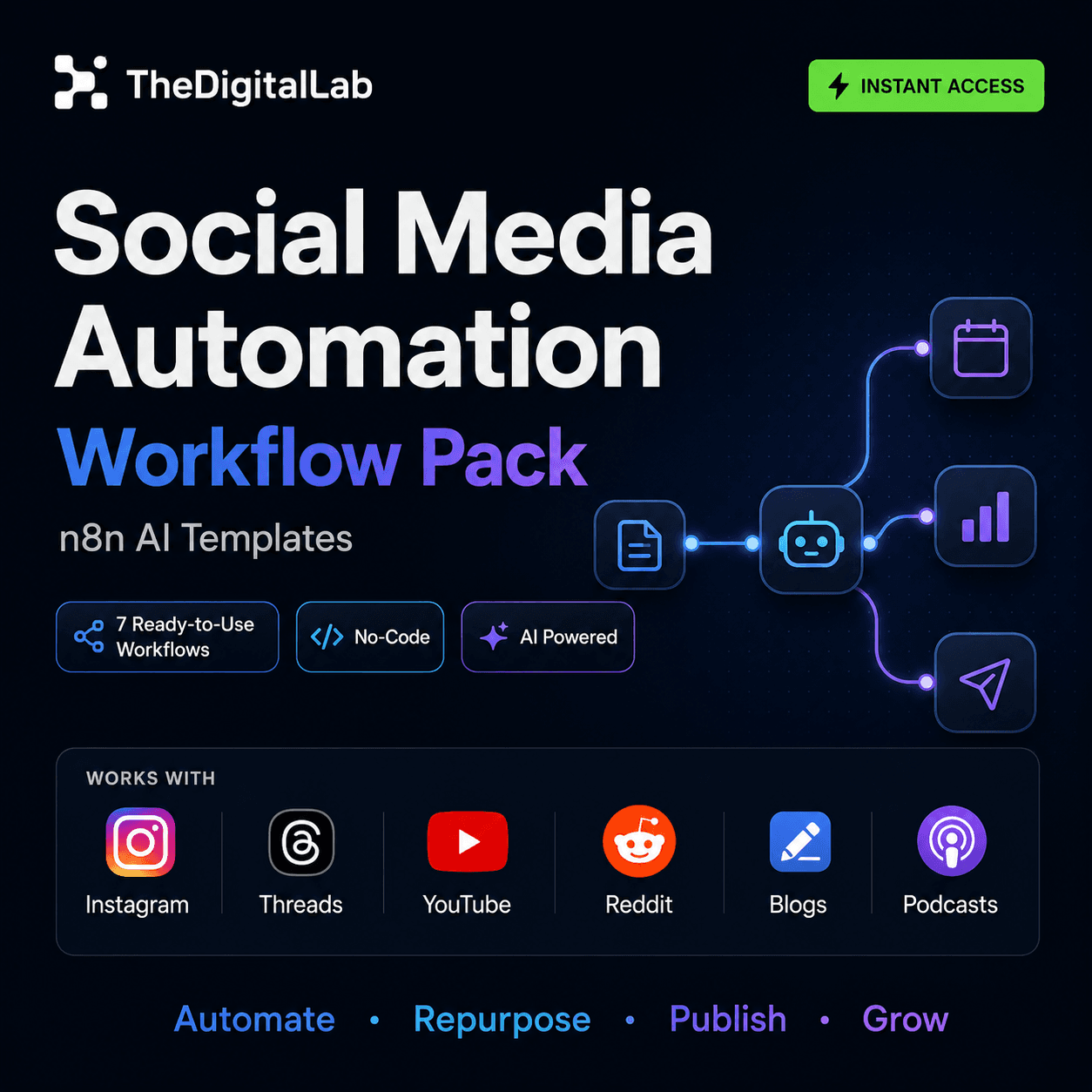
The Social Media Automation Workflow Pack helps creators, agencies, and digital businesses automate several stages of content research, creation, repurposing, publishing, and engagement.
The pack includes seven ready-to-import n8n workflows:
- YouTube video to podcast episode
- AI-driven YouTube research and content-idea discovery
- News and web research to structured blog posts
- Reddit discussions to scheduled email newsletters
- AI story-video generation with consistent characters and narration
- Instagram and Threads auto-publishing
- AI-assisted replies for Threads engagement
Featured content automation pack
 n8n
n8nSocial Media Automation Workflow Pack for n8n – 7 AI-Powered Content, Publishing & Growth Templates
$39$25Each workflow runs inside your own n8n environment and can be adapted to your accounts, API keys, editorial process, and approval requirements.
Instead of connecting every trigger, AI step, transformation, and publishing action from a blank canvas, you start with a working automation structure and customize it for your content system.
Common content repurposing mistakes
Starting with weak pillar content
A vague source idea produces vague derivative posts. Begin with one clear audience problem and one useful promise.
Repeating the same hook
One topic can support several hooks:
- A mistake
- A question
- A result
- A warning
- A story
- A comparison
- A step-by-step promise
Do not open every post with the same sentence.
Publishing identical formats
Seven short videos are not necessarily a complete repurposing strategy. Mix depth, visuals, stories, searchable content, and direct communication.
Removing all human review
AI can accelerate extraction and drafting, but the creator should still review facts, examples, tone, positioning, and calls to action.
Repurposing everything
Not every post deserves expansion.
Prioritize content that:
- Solves an important problem
- Continues receiving views or clicks
- Generates useful questions
- Supports a product or service
- Represents your strongest expertise
- Can be updated with new examples
Forgetting the call to action
Each derivative should guide the audience somewhere.
Possible actions include:
- Watch the full video
- Read the complete article
- Join the newsletter
- Save the carousel
- Reply with a question
- Download a resource
- View the related product
The call to action should match the depth and purpose of the post.
Frequently asked questions about content repurposing
How do I repurpose one piece of content?
Start with one complete piece of pillar content. Break it into individual ideas such as tips, mistakes, steps, examples, quotes, and questions. Adapt each idea into a format suitable for a specific platform.
How many posts can one content idea create?
The number depends on the depth of the original idea. A detailed article, video, podcast, or webinar can often produce several short videos, a carousel, a newsletter, text posts, and follow-up answers without requiring a new topic.
Is repurposing content good for SEO?
Repurposing can support SEO when the new version satisfies a distinct search intent or improves the original information. A video transcript should be rewritten into a structured, useful article rather than published as an unedited duplicate.
What content should I repurpose first?
Start with evergreen content, high-performing posts, frequently asked customer questions, product tutorials, case studies, and topics directly connected to your audience’s problems.
Can I post the same video on TikTok, Instagram Reels, and YouTube Shorts?
You can reuse the underlying video, but review the hook, length, captions, aspect ratio, call to action, and platform-specific elements before publishing. Adaptation usually performs better than treating every platform as identical.
How do I repurpose a blog post for social media?
Turn each major heading into a separate content unit. Use one section for a short video, one list for a carousel, one strong statement for a text post, and one example for a newsletter or case-study post.
How can I automate content repurposing?
Use a workflow that collects source content, extracts key points, creates platform-specific drafts, sends them for review, and schedules approved versions. Tools such as n8n can connect these stages while keeping human approval in the process.
Does content repurposing reduce burnout?
It can reduce the pressure to research and develop a completely new idea for every post. The creator still needs to edit and adapt the material, but the most demanding thinking is reused across several outputs.
Stop feeding every platform from scratch
Your audience does not need a completely unrelated idea every day.
They need useful ideas delivered in the formats they prefer.
Create one strong source. Extract the valuable parts. Adapt each part for the platform. Schedule the week. Learn from the response.
A sustainable content system looks like this:
- One core problem
- One complete pillar piece
- Several distinct angles
- Multiple platform-native formats
- One connected weekly campaign
You are not repeating yourself.
You are giving one valuable idea enough opportunities to reach the people who need it.
For the bigger picture of what else n8n automates beyond content, see our complete guide to n8n workflows.
The goal is not to create more ideas. It is to stop wasting the ideas you already worked hard to create.
Build this with
More from the lab
View all posts →n8n Workflows: The Complete Guide to Automating Your Business
What n8n workflows actually are, when to build vs. import one, and how to use them to automate social media, lead generation, e-commerce and more.
n8n Workflow Templates: Where to Find Free, Ready-to-Use Automations
Where to find free n8n workflow templates, how to evaluate one before importing it, and when a paid workflow pack saves more time than a free template.
7 n8n Workflow Mistakes That Break Your Automations (and How to Fix Them)
The most common n8n workflow mistakes — from missing error handling to hardcoded credentials — and the specific fix for each one.