Notion Templates: The Complete Guide to Building Your Best Workspace

Most people's first Notion workspace is an empty page and a blinking cursor. Their second is a graveyard of half-built databases, three different task trackers, and a "Getting Started" page they wrote once and never opened again. A template exists to skip straight past both of those states — to give you a working system on day one instead of a blank canvas you have to design from scratch.
This guide covers what separates a good Notion template from a pretty one, when free templates are enough and when paying for a maintained system pays for itself, and how to pick or build the right template depending on what you're actually running — a company, your own second brain, a content calendar, or a team's project pipeline.
What makes a Notion template actually good
A template isn't just a page with some headers on it — the parts that matter are underneath the surface: the databases, the properties, and the views built on top of them. A planner template with one flat to-do list is barely different from a plain page. A planner template with a linked database, status properties, a calendar view, and rollups tying tasks back to projects is a system that scales past week one.
The templates worth using share a few traits: they're built around databases (not static text), they come with more than one view of the same data (table, board, calendar, gallery — whichever fits how you actually think), and they don't require you to understand Notion's relation and rollup properties just to make basic edits. If a template needs a tutorial longer than the template itself, it's a demo, not a tool.
If you'd rather build one yourself than adopt someone else's structure, how to create a Notion template from scratch walks through the database-first approach that makes a template durable instead of decorative.
How to evaluate a template before you duplicate it
Before clicking "duplicate" on anything — free or paid — check three things. First, open the databases directly (not just the pretty landing page) and see whether properties are actually connected via relations, or whether it's one flat table dressed up with color-coded tags. Second, check whether there's more than one view of the core data; a template that only offers a single table view usually hasn't been designed around how you'll actually use it day to day. Third, look for a setup guide or walkthrough — its absence isn't automatically disqualifying for a free template, but for anything you're paying for, it's a real gap.
A template that fails all three checks isn't necessarily bad — it might just be simple, and simple is fine for a simple use case. The checks matter most when you're about to build something you expect to rely on for months, where a structural gap discovered in month three is far more expensive to fix than one caught in a five-minute evaluation up front.
Free vs. paid: when a free template is enough
Notion's own template gallery and a wide field of creator marketplaces mean you can build almost any system — a habit tracker, a simple CRM, a content calendar — without paying for it. Free templates are the right call when your use case is simple, you're comfortable customizing structure yourself, and you don't mind that most free templates ship without documentation or ongoing updates as Notion's feature set changes.
Paid templates earn their price when the system is complex enough that getting the database structure right the first time saves you real hours — a multi-database company OS, a PARA-based second brain with linked reviews, a content pipeline with approval stages. Free vs. paid Notion templates breaks down exactly where that line sits and covers our own three systems — Founder OS, Content Engine, and Second Brain Pro — as maintained alternatives to unmaintained free duplicates.
Templates aren't only for personal use, either — notion templates for students covers the class-schedule, assignment-tracker and study-system builds that make the free tier plenty for most coursework.
Running a company or a side project from Notion
Founders and small teams gravitate toward Notion because it replaces four or five single-purpose tools — a CRM, a wiki, a hiring tracker, a dashboard — with one connected workspace instead of five logins. Notion templates for founders and startups rounds up the systems built specifically for that stage, including our own Founder OS.
The most common single build request is a CRM. Notion isn't purpose-built sales software, but a relation-and-rollup database gets you 80% of a real CRM's usefulness without a monthly per-seat bill. How to turn Notion into a CRM covers the exact database structure that makes it hold up past the first fifty contacts.
Not every business is venture-shaped — a lot of Notion's small-business users are running one operator's whole company solo. Notion for small business owners covers the leaner version of the same system for exactly that case.
Building a Notion second brain for yourself
The other major use case is entirely personal: a system for capturing everything you read, learn, and need to act on, structured so you can actually find it again later. The best Notion second brain templates covers the PARA-based systems that dominate this category, including our own Second Brain Pro.
PARA — Projects, Areas, Resources, Archives — is the organizing method behind almost every serious personal knowledge system in Notion, and it's worth understanding even if you end up customizing it. The PARA method in Notion is a full setup guide, not just a definition.
A second brain and a habit tracker solve different problems, but they pair well — one manages what you know, the other manages what you do daily. Notion habit tracker templates covers building or picking a tracker that fits alongside a PARA-based system.
Running content and projects as a team
Content teams and small agencies use Notion differently again — less personal capture, more shared pipeline. Notion content calendar templates covers the database structure that tracks a piece of content from idea through published, across every channel, which is exactly what our Content Engine template ships out of the box.
Content is one kind of pipeline; general project delivery is another, and teams that outgrow a flat task list need real dependencies, timelines, and ownership. Notion project management templates covers the builds that hold up for teams actually shipping work, not just listing it.
Notion vs. the alternatives
Notion isn't the only workspace tool, and it isn't the right fit for every team. Notion vs. Trello vs. ClickUp breaks down where each tool actually wins — Notion for connected knowledge and flexible databases, Trello for dead-simple boards, ClickUp for heavier built-in project management.
Cost is part of that decision too. Notion's free plan covers a genuinely large amount of solo use, and the paid tiers exist for team permissions and larger file limits rather than gating core features. Is Notion free? Pricing explained breaks down exactly where the free plan stops being enough.
Common mistakes that make a template fail
Most failed Notion setups share one of a small handful of root causes: too many properties added speculatively rather than as actually needed, no capture mechanism for new information so everything requires an immediate filing decision, and a database structure copied from someone else's use case without adjusting it to fit your own. The templates that last tend to start minimal and grow only when a real, felt need shows up — not when a tutorial suggests a feature might be useful someday.
The other common failure is treating a template as a one-time setup instead of a system that needs a light recurring review — a weekly pass to clear a capture inbox, archive finished projects, or check that a CRM's pipeline stages still reflect reality. A template with a perfect structure but zero maintenance rhythm degrades exactly like a template with no structure at all, just more slowly.
Turning your own system into a template business
Once you've built a system that works, the natural next question is whether it's worth packaging and selling. How to sell Notion templates covers what that actually takes — from duplication links to marketplace listings — for anyone sitting on a workspace other people would pay to skip building themselves.
Where to go from here
The fastest path to a workspace that actually sticks is starting from a system built for your specific use case — company operations, personal knowledge, or content and project delivery — rather than a generic template you'll spend a weekend restructuring. Browse all Notion templates to start from a working system instead of a blank page, and use the guides above to go deeper on the exact area where your current setup is falling short.
Build this with
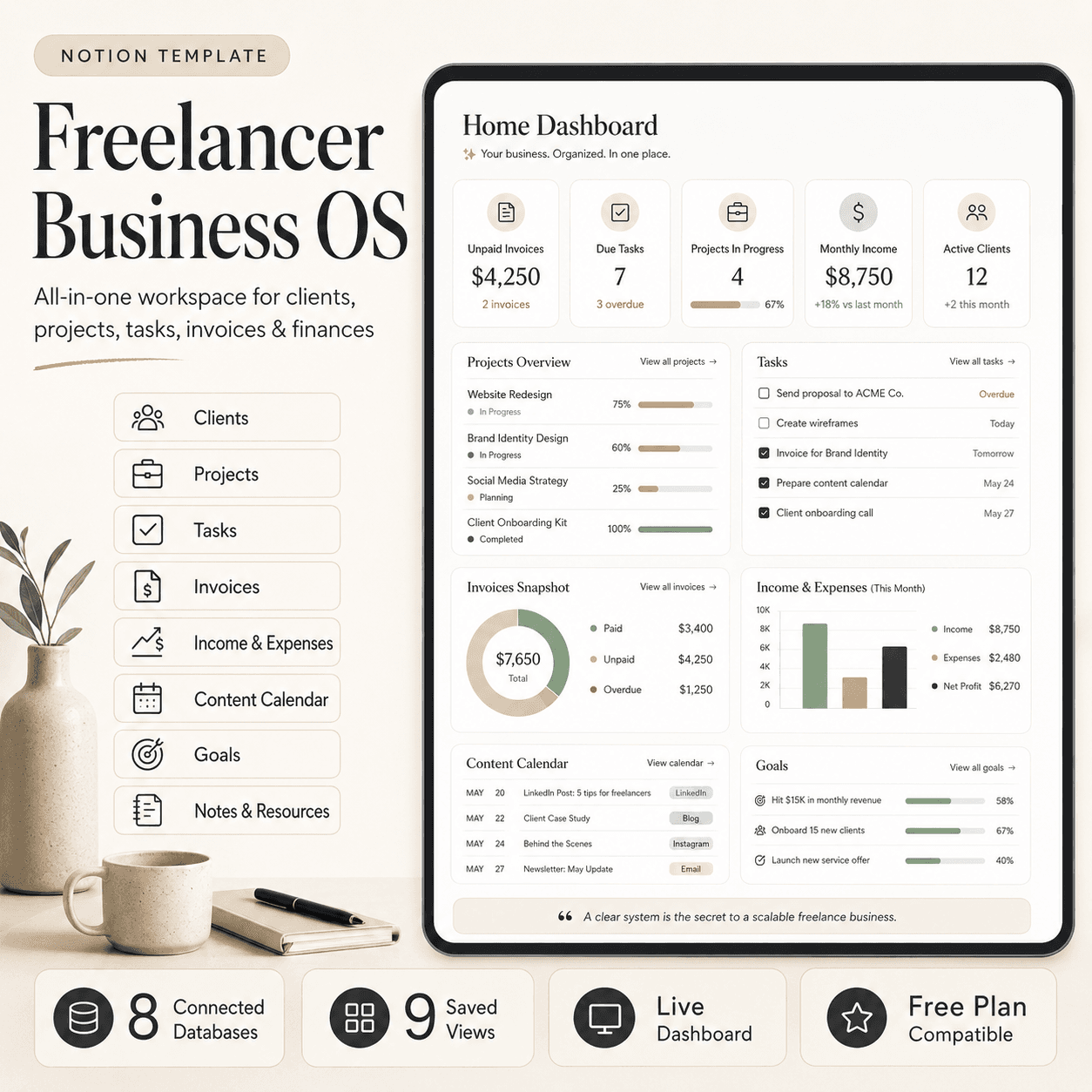 Notion
Freelancer Business OS | All-in-One Notion Template for Clients, Projects, Tasks, Invoices & Finances
$50$29.99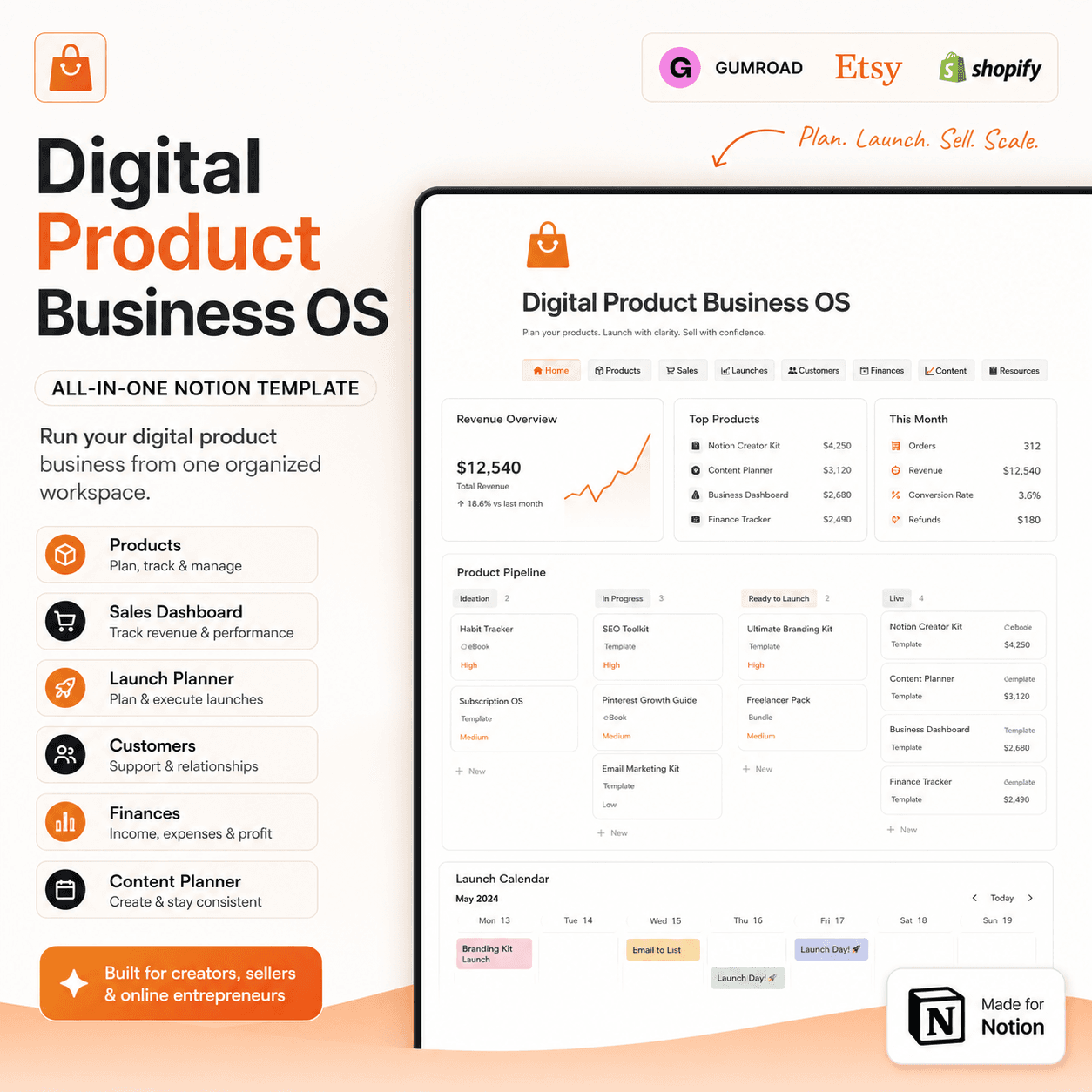 Notion
Digital Product Business OS | Notion Template for Gumroad, Etsy & Online Sellers
$50$29.99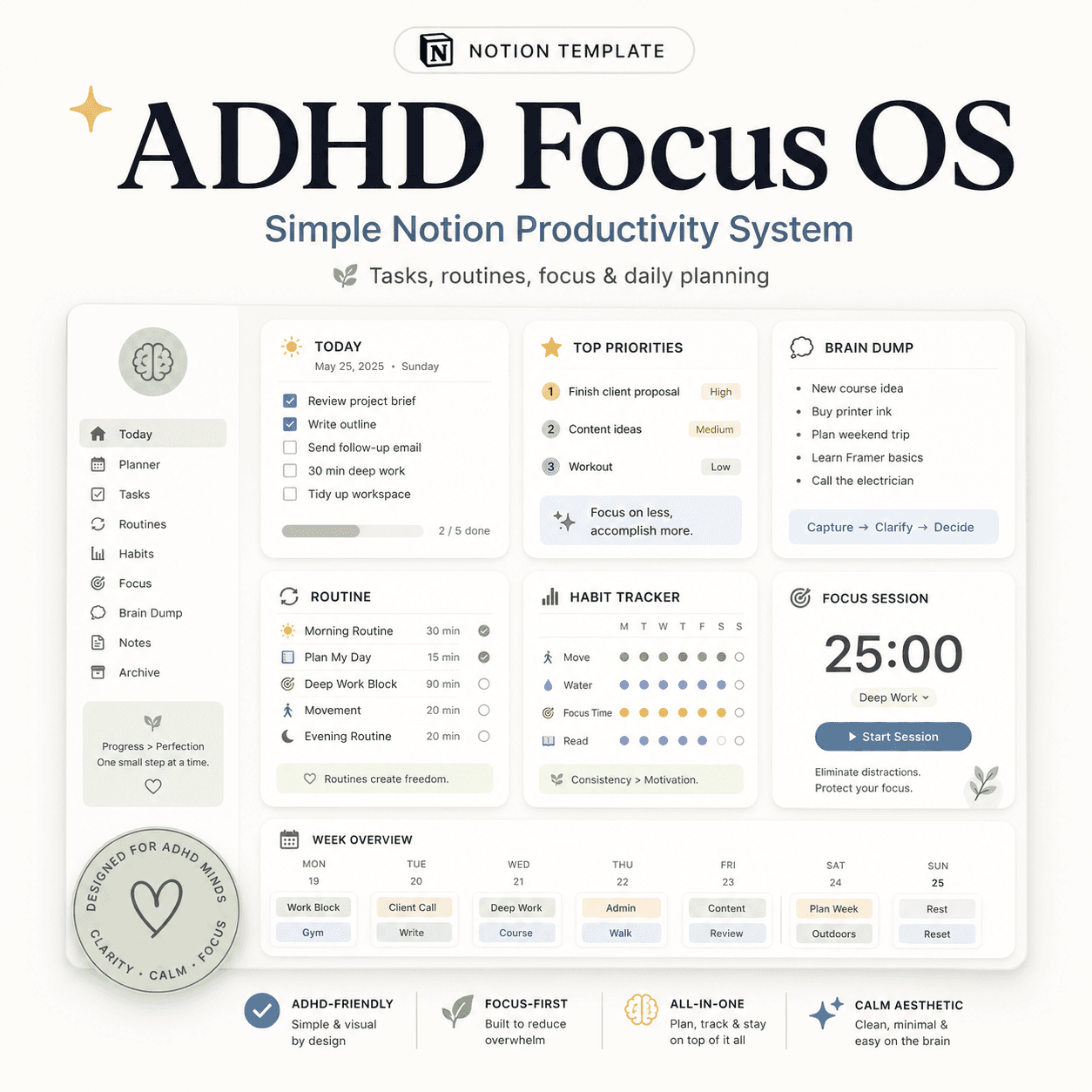 Notion
ADHD Focus OS | Simple Notion Productivity System for Tasks, Routines & Daily Planning
$50$29.99More from the lab
View all posts → Notion
The PARA Method in Notion: A Complete Setup Guide
How to build Projects, Areas, Resources and Archives as related Notion databases — not just four static pages — so the system actually holds up as it grows.
 Notion
Notion vs Trello vs ClickUp: Which One Should You Actually Use?
Where Notion, Trello and ClickUp each actually win — connected knowledge and flexible databases, dead-simple boards, or heavier built-in project management.
 Notion
Notion for Small Business: Templates to Run Your Whole Operation
The leaner version of a founder's Notion OS, built for solo operators and small teams who need one workspace instead of five subscriptions.